

 If you run any kind of online business presence – blog, website, e-commerce store – then one of the key things to have in place is an analytics system for measuring your metrics.
This can be to gauge traffic, time spent on site, hot spots and much, much more. If you don’t have any kind of analytics in place, then you’re not seeing the bigger picture and missing out on valuable information that can take your site or business to the next level.
There are a ton of great measuring platforms available, some free, some premium, some of which I’ve spoken about before.?While I use a mix of?Quantcast and Google Analytics for this site currently, over the last few days I’ve been messing around with expo-MAX analytics.
And I have to say, I’ve been pretty damned impressed.
Who is expo-MAX?
Primarily an advertising solutions company, expo-MAX helps both advertisers and publishers to gain a larger share of their target audience.
For advertisers, they help you identify your strengths and eliminate your weaknesses, and tie it in with a fully monitored fraud prevention system so your ad spend can’t be gamed by fraudulent clicks.
On the publisher front, expo-MAX helps put you in touch with advertisers that are relevant to your blog or website. No generic Google Ads or similar – and by doing so, it should help you earn a decent return from any advertising you offer on your site.
But it’s the analytics package that interests me, and might do the same for you too when you see some of the cool stuff it does.
expo-MAX Analytics
While Google Analytics is a great free platform to measure the traffic, bounce rate and more to your site, often it doesn’t give you the information you really want (something Mack Collier points out in a recent post). So, good but not ideal.
expo-MAX, on the other hand, delivers a bunch of extra information with real-time metrics and then some.
For example, say I want to gauge when the busiest time on my blog normally is. While I can get this with Google, it’s a bit of a pain to go through the process of correlating that with other information relevant to that time.
With expo-MAX, however, I can see the time of day that gets peak traffic, as well as the country that traffic comes from at any given time. I can also see referring sites, the most popular content and the top search terms that brought traffic to me – all on the same page. You can then dig deep into this information for even more metrics.

You can see how this would benefit you as a blogger or business owner. Say you have a promotion for North American audiences – you can then tailor publishing that offer to the busiest time of the day for that audience. You can also look at the titles of the posts that gained most traction, and work that into your promotion as well (titles can have a huge sway on visits).
Social Media Analytics
So far, much like Google and pretty much most other decent analytics platforms. And for the most part, that amount of information will be all many bloggers need. But if you really want to get into where your traffic comes from, expo-MAX has a pretty cool trump up its sleeve with social analytics.
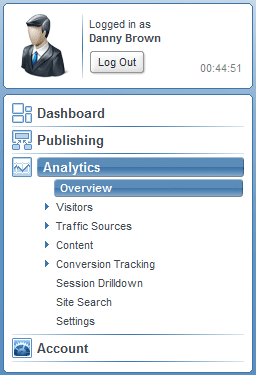
When you’re in your dashboard area, you can delve into your traffic sources and get a feel for who’s sending you the most traffic. Normally you’ll get some of this information on other platforms. But where expo-MAX differs (as far as I’m aware of from other platforms I’ve used) is by showing you the most prolific users.
For instance, once I’m in the traffic sources area, I can click on Referring Sources. This shows me the top 20 referring sites. Currently, Twitter is the site that provides most traffic to my blog, accounting for 19% of my traffic. If I click on the Twitter link, though, I can then see which Twitter user sends the most traffic my way (thanks,?Jim Connolly!).
Click on any of the other top 20, and you get more information again about that site’s top “providers”, if you like.

My current top 5 traffic sources are Twitter, Headway Themes (affiliate link), Google,?Networked Blogs and PR Daily – by clicking each of these, I can see what kind of audience I’m attracting and the type of link that saw them come here in the first place.
Let’s say you wanted to offer a customer appreciation promotion – you can see how having the information that expo-MAX offers in its social analytics would be of use.
Does expo-MAX Replace Google?
For me, yes. While Google Analytics is an excellent platform, it still doesn’t quite offer the amount of information that I’d personally want to use.
As well as the features I’ve highlighted here, you have a huge amount of information at your fingertips with expo-MAX. It even tells you what page of Google you’re on for the search term that brought your traffic (I found out I was on page one for the search term ftc social media guidelines, for instance, and saw how much traffic came to my blog for that term). Then you have conversion tracking, bounce rates, detailed drill down into information…. you need it, you pretty much got it.
I’ve only been messing with the tool over the weekend, and I’m already sold on it. For a free platform, it offers an incredible amount of information, and when I complement it with Quantcast for more detailed demographics, I’ve got all the information I could possibly want on my blog traffic.
From a blogger or business point of view, it’s pretty clear to see the benefits expo-MAX offers. Couple that with the very clean and user-friendly interface and support documentation,?the ability to track multiple sites?and the fact you can choose from a free or premium account, and I can see expo-MAX gaining a huge chunk of the web analytics market.
How about you? Will you be trying it, and what platforms do you currently use to track your metrics?
Note: This blog no longer runs on the Headway framework. Instead, it’s a custom WordPress design by Lisa Kalandjian of SceneStealer Graphics.