Welcoming Livefyre Comments Back to the Blog


Livefyre

If you’re a regular reader of the blog, you’ll notice that I’ve switched the Livefyre commenting system back on, after using the vanilla WordPress option for the last few months.

I was one of the early beta users of the system, and loved the way it took blog commenting and turned it into a real-time chat (as this experiment and the subsequent results show).

However, along with it not really fitting into the blog’s redesign at the time, there were some features that Livefyre lacked, which saw me revert to the standard WordPress comment system (albeit one that was heavily optimized by Bonsai Interactive’s Creative Director, Lisa Kalandjian). But I’ve always kept eyes on the system, and met the team at a conference earlier this year.

And I’m glad I did, because today’s Livefyre is a completely different beast from when I was test-running it, and the features that weren’t around then have made it into the new version. So the time seemed right to switch it back on. So what’s new?

Latest Post or Conversation

Perhaps one of the biggest things that Livefyre lacked previously was the latest post option (or Conversation, as Livefyre calls it). This is what the CommentLuv plug-in offers – the option for anyone leaving a comment to have their last post visible as a link back to their blog.

Livefyre latest conversation option

Where Livefyre’s version differs is that it’s (currently) only for those with a Livefyre account. While it doesn’t offer the same benefits of CommentLuv because of this limitation, it’s a clever way to encourage sign-up. And the cool thing is, if you have multiple blogs, it pulls the last post from the newest publication, so it gives all your blogs an equal amount of promotion.

Simple Site Wide Moderation

When I first had Livefyre switched on, its dashboard area was pretty basic. There were your account details, and the blogs you had registered, and that was pretty much it. It didn’t really allow for analytics or moderation (something the Disqus platform was better at). Not any more.

Livefyre Site Moderation

With the new and improved dashboard, you have much more control. This includes white-listing commenters, banning spammers, marking comments that are offensive so Livefyre can learn them, and more.

It’s a far better system, and makes running the back-end of your commenting system a much easier task.

Improved Social Sharing Options

A lot of bloggers – myself included – have wondered about the effect social networks have on blog comments. Do tweets and Facebook conversations mean fewer comments on the blog (though more overall)? And will the freestyle comment stream of Google+ affect this even more?

Either way, there’s no doubt that a lot of conversations about a post are missed, because they’re taking place on Twitter, Facebook, etc, and not everyone has an account on these platforms. This is where Livefyre is stepping in, to really cultivate the conversation around a post.
Livefyre SocialSync

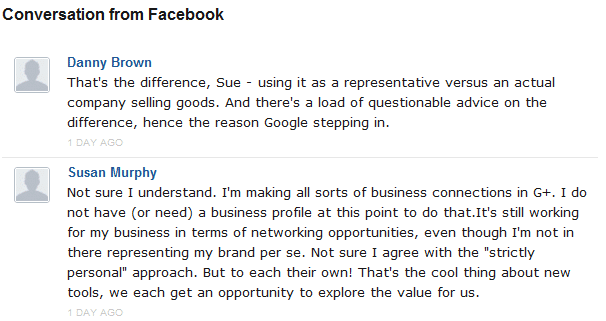
Their new SocialSync feature gives you the option to have tweets and Facebook posts become a part of the post’s comments. This is similar to the Reactions feature on Disqus, with a difference – Livefyre’s way of doing things seems better suited to social conversations being part of the comment stream.

For instance, simple retweets aren’t counted (or shoudn’t be). Instead, only extended conversations around a post are pulled into the comments. The same goes with Facebook – if you share a post on your Facebook Page, then any wall posts by your connections will be pulled over to your post.

It’s not perfect – for example, I’d love the option to be able to reply to Facebook posts from the blog comment (much like you can with the Twitter sync). Additionally, the SocialSync conversations currently split the comments if there are more than 50, as opposed to being at the end of the comment stream (although Livefyre have said they’re looking to fix this). But as a first attempt at really integrating all conversations around a post, it’s a great start. Especially if Livefyre can work a way to include Google+ comments.

The Little Things

So these are three of the main differences in the Livefyre system since last being activated on here. They’ve also added some nice little features – more sign in options (Google and LinkedIn), along with the option to view oldest comments first. Couple these with more CSS options, so you can code Livefyre to suit the design of your blog a bit better, and Livefyre has pretty much got most options covered for a one-stop commenting system.

There are some more features on the way, too, with perhaps one of the most-asked for additions due imminently – the option to allow guest commenting, where you don’t need to have one of the current sign-in options to leave a comment.

I was a big fan of Livefyre before. I think it’s fair to say that, with the new features, I’m pretty much sold on them as the best commenting option out there. Obviously there might be some hiccups along the way, but I’ve always found the Livefyre support to be second-to-none.

And you can’t ask for much more than that.

Get my latest posts straight to your inbox!


DannyBrown.me runs on the Genesis Framework

Genesis Framework

Genesis empowers you to quickly and easily build amazing websites with WordPress.

Whether you're new to WordPress or an advanced developer, Genesis provides the secure and search-engine-optimized foundation that takes WordPress to places you never thought it could go. It's that simple - start using Genesis now!


Genesis comes with 6 default layout options, comprehensive SEO settings, rock-solid security, flexible theme options, cool custom widgets, custom design hooks, and a huge selection of child themes ("skins") that make your site look the way you want it to. With automatic theme updates and world-class support included, Genesis is the smart choice for your WordPress website or blog.

Post comment as twitter logo facebook logo
Sort: Newest | Oldest
TutorCare 9 pts

It's nice to see the return of Livefyre to the blog... Good choice Danny :)

DannyBrown 2790 pts moderator

 MHazell Already answered elsewhere:


http://fyre.it/X2l

My latest conversation: Porter's Five Forces and Social Business

AbundantJourney 8 pts

Hi there. It seems as though both Livefyre and CommentLuv are running on your blog. How is this so? I drop by due to a conversation over on Ileane's blog (Basic Blog Tips) indicating you returned to CommentLuv from Livefyre. How is Livefyre still appearing active on this post and Comment Luv on your newer posts?

My latest conversation: 10 Things You Should Experience in this Lifetime

DannyBrown 2790 pts moderator

AbundantJourney It may be that the transfer process from WordPress comments to Livefyre hadn't quite completed? I've deactivted CLP and switched Livefyre back on now.

My latest conversation: Is This Google's First Steps in Full Product Integration with Google+ and Core Products?

AbundantJourney 8 pts

DannyBrown Gotcha. Thank you for responding. So are you sticking with Livefyre or do you think you might switch back to CommentLuv? Just curious. I'm only 1 year old in the blogging world and still learning quite a bit. Shonda

My latest conversation: 10 Things You Should Experience in this Lifetime

DannyBrown 2790 pts moderator

AbundantJourney Hi Shonda,

I think I'll be sticking with Livefyre. I like CommentLuv, but there's just something about Livefyre that feels right on a blog comment system, especially one where the audience is social media-savvy. The integration of Twitter and Facebook conversations that Livefyre offers make it the perfect comment partner. :)

My latest conversation: Is This Google's First Steps in Full Product Integration with Google+ and Core Products?

AbundantJourney 8 pts

DannyBrown Good to hear. I enjoy the conversation flow on Livefyre blogs. Nice to e-meet you and thank you for taking the time to respond to me. Cheers.

My latest conversation: 10 Things You Should Experience in this Lifetime

Hi Danny, sorry for the delay in thanking you for your reply. It was very helpful as all your posts are. Appreciate it very much.

Hi Danny, I just discovered your blogs and am impressed with the information and passion with which you write.

I'm doing research right now on what type of commenting system I'd like to use for my blog. I was considering Livefyre which is how I found this post. It doesn't appear you're using LiveFyre currently, so I assume you turned it back off.

Could I ask you why? I have a new blog up, and I've only begun to look into alternative commenting for wordpress. Anonymity as an option is very important to me, and yet I, also, want to be able to use the social networks option for those who feel safe to use their own identities.

I, also, don't want to use any app that demands the user give a third party the right to post on their Facebook or any social network AS them or mine the users ENTIRE account. I find that offensive. How intrusive is Livefyre in that regard?

I'd be interested in any follow up opinions you might have on Livefyre. Thanks!

Respectfully,
Demian Yumei

Hi there Demian,

First, thanks for the kind words, much appreciated.

I did use Livefyre on here until recently (and I may go back, I vary quite a bit). The main reason I switched it off was there were still a couple of bugs every now and then (formatting, mainly), and I also kinda like the way my designer formatted the comment section to suit the style of the blog.

As far as privacy, you can definitely set up a pseudonym. As long as that's tied into a pseudonym account on Twitter or Facebook, you can then share across these networks, or bring conversations about your post into the comments thanks to the SocialSync feature of Livefyre.

Additionally, Livefyre (as far as I'm aware) will only share to social networks you allow connection with. Otherwise, the comments and dialogue stay right here on the blog.

Hope that helps!

I like LiveFyre but it's just a pain to set up sometimes - especially on older blogs without comments. CommentLuv is nice, but of course not as fully-featured as LiveFyre.

To each their own I suppose!

I was looking at starting a blog and find the comments helpful. It's good to find out the expierence of others prior to diving in.

wmwebdes 203 pts

Hi Danny

Just set up a new blog and installed Livefyre.

Having a few problems, but Livefyre support are fabulous.

Am I now in your gang? LOL

My latest conversation: It's a lean mean.... list building theme

DannyBrown 2790 pts moderator

wmwebdes Tell you what, mate, we'll kick that gini dietrich out and have you in instead. ;-)

My latest conversation: For Bloggers By Bloggers Weekly Review

wmwebdes 203 pts

DannyBrowngini dietrich

Girls in the gang?

What is the world coming to.

My latest conversation: It's a lean mean.... list building theme

ginidietrich 5400 pts

wmwebdesDannyBrown YOU CAN'T KICK ME OUT! I'm a lifer!

My latest conversation: The Spin Sucks Holiday Gift Guide

DannyBrown 2790 pts moderator

ginidietrichwmwebdes I'm stuck with you? Dang!

My latest conversation: The Most Powerful but Underused Blogging Strategy: 'Sticky' Storytelling

wmwebdes 203 pts

ginidietrichDannyBrown

OK as long as you can do 20 pressups, which would be 15 more than I can. LOL

My latest conversation: Genesis Pro Plus Package... Fabulous Value!

TummyTuckCost 7 pts

Pretty excited trying this plugin out and so far so good.

My latest conversation: Finding Out How Much Does Liposuction Cost

Ordinary Randomness 6 pts

I too just turned LiveFyre back on and I was happy to see the new feature showing our last post. The guest commenting will be a welcome addition also.

My latest conversation: Bucket List

Ordinary Randomness 6 pts

Hmmm I wonder why it is showing a different latest conversation than what it actually is.

My latest conversation: Bucket List

3djulio 8 pts

what did you do ? mine is showing the About page... Ordinary Randomness

My latest conversation: About

DannyBrown 2790 pts moderator

3djulioOrdinary Randomness I know some folks have had this problem, and I think it's how the blog is sending updates to the RSS. But jennalanger can explain better. :)

My latest conversation: 5 Business Blogging Lessons That I Learnt the Hard Way

jennalanger 714 pts moderator

DannyBrown3djulioOrdinary Randomness Hey Julio, I think we responded to your email, but to clarify the reason it's showing your oldest post is because of the way that Livefyre imports comments. As soon as you publish a new post it will show your latest conversation. Welcome to Livefyre! :)

My latest conversation: Bringing Online Community Offline at the 20SB Summit

C.S.Ling 7 pts

Just like ExpatDoctorMom I'm eagerly waiting for the guest commenting feature too. I've already used the Liverfyre Wordpress plugin at http://lifelistchase.com and is contemplating on switching back to Wordpress default commenting due to the lack of guest commenting. I do love livefyre.. shall be patient and wait for the time being. I hope i don't have to wait too long :)

newdaynewlesson 67 pts

I am trying to figure out why it doesn;t show my latest conversation on bottom of my comments? Any ideas?

DannyBrown 2790 pts moderator

newdaynewlesson Hi Susie,

You need to do two things, in case you haven't already:

1. Make sure Livefyre is active on your blog.

2. Switch Linkback on in your Livefyre admin area, under Settings > Extras.

Hope that helps, but looping jennalanger in just in case :)

My latest conversation: Danny Brown Called Me a Dilhole Or How to Find the Secret Sauce

jennalanger 714 pts moderator

newdaynewlesson Hi Susie, Looks like you don't have Livefyre yet on your site. LinkBack wil display the latest Livefyre conversation you have created - so if you install it on http://www.newdaynewlesson.com it will start working for you. cc DannyBrown

My latest conversation: Recap from BlogHer11: Can't stop blogging now!

newdaynewlesson 67 pts

jennalangerDannyBrown OKay, so to install livefyre is it a plugin? Will all my existing comments be moved to it or will I lose them?

DannyBrown 2790 pts moderator

newdaynewlesson Hi Susie,

Yep, you can find from within your WordPress dashboard. Just Add New Plugin, type Livefyre, then install and follow instructions.

Because it writes from WordPress, you should find all your comments transfer over, including threaded discussions. :)

My latest conversation: How to Kill Your Blog in 10 Easy Steps

newdaynewlesson 67 pts

jennalangerDannyBrown OKay installed but is doing something funny with last converssation. Like on this post from a few days ago, http://www.newdaynewlesson.com/songs-inspire-connect-uplift/ , it made my last conversation my about me page? It seems like there is no rhyme or reason about "last conversation" going on at least in my blog.

Thanks for the help btw

My latest conversation: About Me

newdaynewlesson 67 pts

jennalangerDannyBrown And one last thing for tonight. Danny-am not finding where there is a dashboard like the screenshot you show above. :-(

Now off to bed for me.

My latest conversation: About Me

astronyu 9 pts

jennalangerDannyBrown I agree with newdaynewlesson because mine showing about me page too since the first time I enabled the option. Looking forward to see how to actually really show my last conversation/blog posts on every comment I made.

My latest conversation: Free Wordpress Setup Request Form

astronyu 9 pts

jennalangerDannyBrownnewdaynewlesson Ah, seems it now updated my status. It is now shows my last post (a page on my blog). What I did was go to my dashboard, disable it, submit, and enable it again.

My latest conversation: Free Wordpress Setup Request Form

newdaynewlesson 67 pts

astronyujennalangerDannyBrown didn;t work for me :-( what did you disable exactly?

My latest conversation: About Me

jennalanger 714 pts moderator

newdaynewlessonastronyuDannyBrown Hey there, when the first import happens it grabs your oldest conversation last, which is why that is showing. You can turn off the feature for now here http://www.livefyre.com/profile/edit/sites/ and then turn it on again when you publish a new post. If you have any other questions feel free to email us at support at livefyre dot com.

My latest conversation: Recap from BlogHer11: Can't stop blogging now!

astronyu 9 pts

PhilipNowak I agree. At first I tried Disqus as it was being used by most blogs but somehow it doesn't like my blog as it breaks everything in it so I uninstall and tried livefyre. So far, it has been a good experience using it as I think it is lightweight as it is claimed.

Now, if only we could have an option to edit the post rather than deleting.

jennalanger 714 pts moderator

astronyuPhilipNowak Hey there, glad you made the switch and that it's working well! Edit comment is on our roadmap so you'll have that option soon enough :)

My latest conversation: Recap from BlogHer11: Can't stop blogging now!

PhilipNowak 50 pts

Livefyre is getting better and better each day. Love the new features, especially the SocialSync functionality.

My latest conversation: LinkedIn is Still King, but More Businesses Using Facebook for Recruiting

DannyBrown 2790 pts moderator

PhilipNowak Agreed, mate, and the Linkback feature is pretty nice too.

Now if only Amazon would get their house in order... ;-)

My latest conversation: A Special Livefyre Q&A with Geoff Livingston

PhilipNowak 50 pts

DannyBrown Linkback is a great feature. Just activated the option on my site after reading about it here. :-)

My latest conversation: LinkedIn is Still King, but More Businesses Using Facebook for Recruiting

MHazell 6 pts

 PhilipNowak But it needs more features to equal Disqus.

mindrise 10 pts

Thanks for the information.I think I have livefyre all set up now correctly.

My latest conversation: how to hypnotize someone

AnitaDismore 8 pts

Just made the switch to LiveFyre on my blog. Loving it so far.

My latest conversation: How to Remodel a Kitchen

DannyBrown 2790 pts moderator

AnitaDismore Great to hear - I'm always wary of third-party platforms, but the way the Livefyre community managers interact with their users is a big plus for me. :)

My latest conversation: The Nike Method of Launching a Blog

melikesart 5 pts

I long for the day LiveFyre will finally be available to Blogger.

DannyBrown 2790 pts moderator

melikesart I'm not 100% certain, and I'm sure jennalanger can confirm, but my understanding is Livefyre is available for Blogger. On their website, where you have the option of choosing your platform, Blogger is one of them.

Like I say, though, don't quote me, Jenna's the gal to ask! :)

My latest conversation: Michael Scott: Somehow My Blog Manages

melikesart 5 pts

DannyBrown Yes, the Blogger option is available in the LiveFyre homepage, but after selecting it, it would tell you to leave your email so you will be notified if it will become available.

jennalanger 714 pts moderator

melikesart DannyBrown you have no idea how much we want to support Blogger! We're working with some developers to get one out there for you, and we'll make sure you let you know.

My latest conversation: Instant Messaging and Text Messaging: An Overview

Trackbacks

  1. [...] more: Welcoming Livefyre Comments Back to the Blog comments: Closed tags: beta-users, livefyre, loved-the-way, regular-reader, the-system, [...]

  2. [...] Welcoming Livefyre Comments Back to the Blog originally appeared on Danny Brown | Social Media Marketing Blog – The Human Side of Media and the Social Side of Marketing under a Creative Commons license. [...]

  3. [...] publish? Which comments will you exclude? Will you use a blog commenting system such as Disqus or Livefyre? Rewarding your commenters and thanking them are all parts of the policy, please remember them. [...]

  4. [...] beyond the confines of a destination website. And more recently sophisticated comment platforms like LiveFyre  help media properties use original content not only to stimulate and spread online chatter, but to [...]

  5. [...] to his blog instead. I really enjoy Danny Brown’s blog, so after you are done reading about the benefits of livefyre, have a look around his blog, you’ll like it and him as [...]

  6. [...] bloggers caused quite a stir wh&#1077n th&#1077&#1091 installed Livefyre including Danny Brown, DragonBlogger &#1072nd Biz Chick Blogs &#1112&#965&#1109t t&#959 name a few. Y&#1077t although [...]